Controlling Offline Devices

Devices are sometimes offline, either intentionally or due to transient network and infrastructure outages. At scale, it is rare that all devices will be online at the same time. So it is important that device commands issued by centralized management are reliably applied regardless of whether a device is offline or online at the time the command is issued.
To allow offline devices to receive commands, we’ve added the Device Command automation. This reliably stores and distributes device commands to one or more devices. If a device is offline, it will receive and respond to the command when it next connects to the cloud.
This is achieved by storing commands in a persistent cloud-side database that is reliably replicated to the device when it next comes online — whereupon it runs all queued commands.
Device Automation Commands
EmbedThis Ioto provides cloud-side Automated Actions that can detect a wide variety of conditions and automatically initiate configured actions to alert or respond accordingly.
Automated actions transform your device cloud from a passive data repository into an intelligent, active and adaptive service. For example, automated actions can be used for the following scenarios:
- Invoke device actions in response to user input or measured device state
- Compute device state to be reflected in the device app
- Display device errors in a device app alert list
- Aggregate fault metrics for devices and create dashboards for fleet health
- Send alert email notifications to field staff for action
- Integrate with systems and services from 3rd parties
Setting Up Device Commands
The Builder enables you to create device command automations.
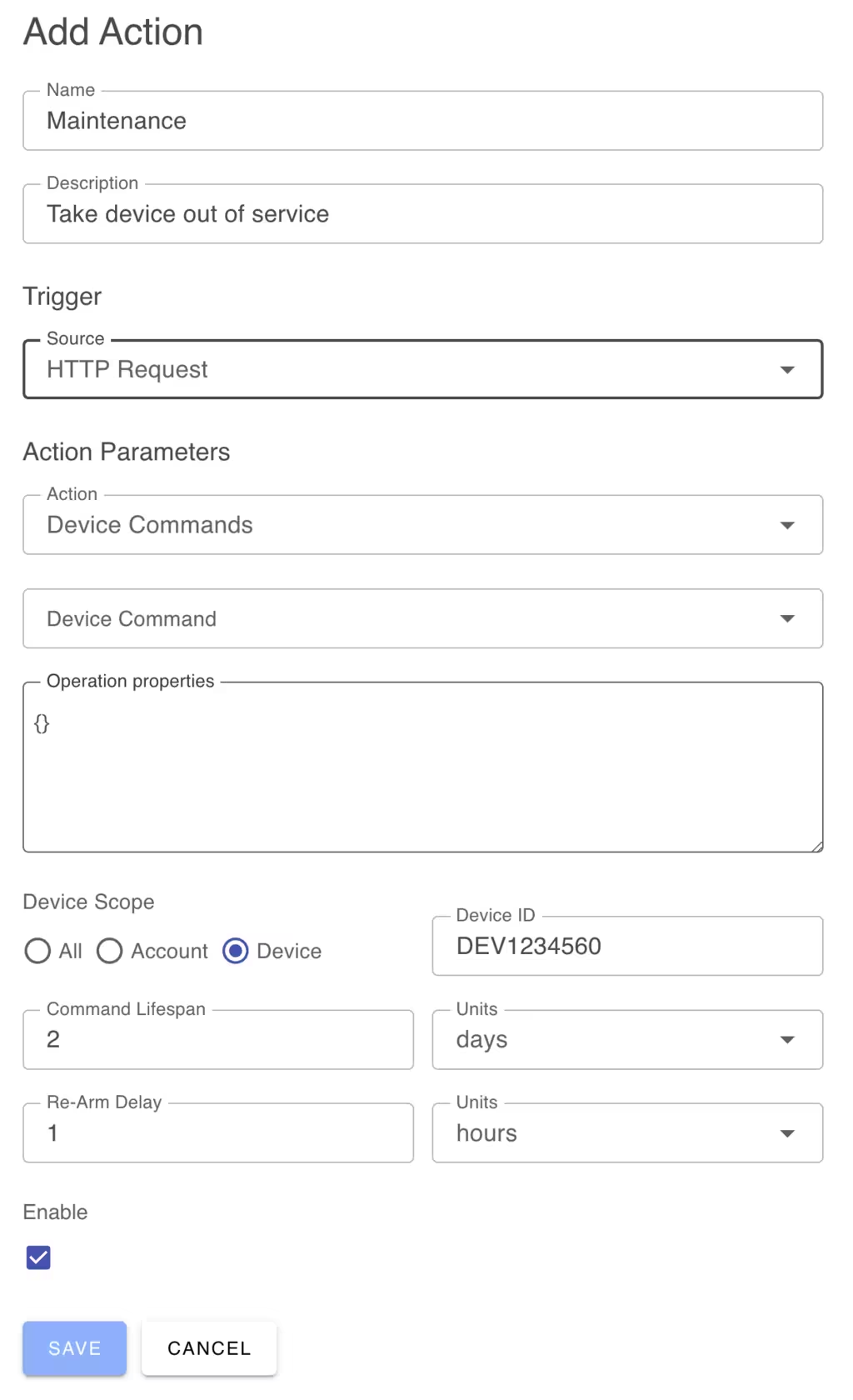
You can select one of the standard device commands:
- Release
- Reboot
- Update
or you can provide your own named command.
When creating the automation, you can nominate if the command is to be sent to all devices, devices in a specific user device manager account or to a single specific device.
You can nominate a lifespan for commands and they will be automatically removed after the time period has expired. This is useful to cleanup commands for devices that are not going to come online during the period for which the command is relevant.
Read about Automated Actions to get a background on the general automation facility.
Device Online Presence Detection
We also added presence detection so you can run automated actions when devices come online or go offline. In the Device table, the connection field will be set to “offline” or “online” as the device connects or disconnects from the network. You can create automations to trigger when the database changes this value and then invoke an action of your choosing.
Comments